
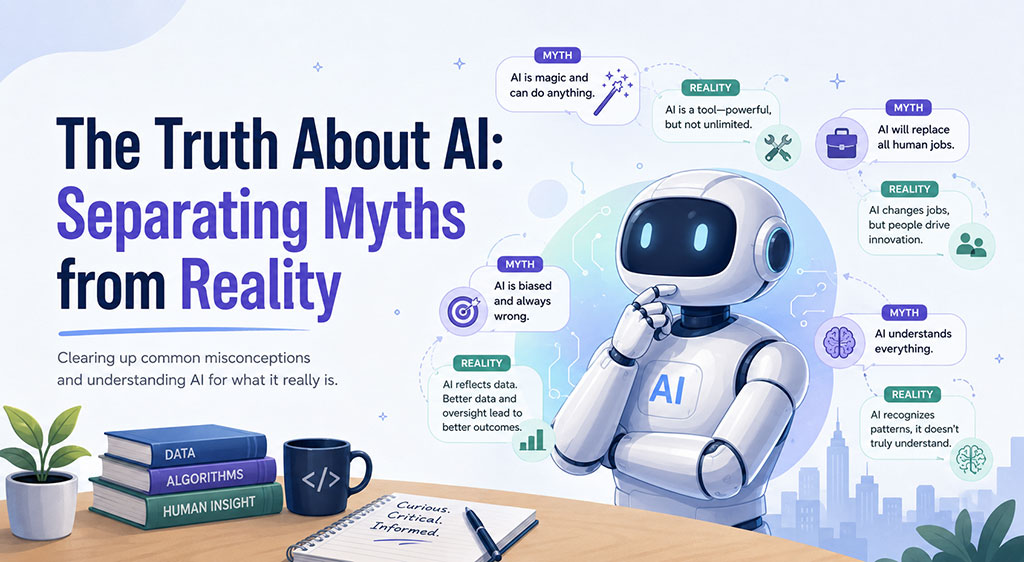
Artificial Intelligence (AI) has quickly become one of the most talked-about technologies in business. From writing emails and generating reports to analyzing data and automating tasks, AI is helping organizations improve efficiency and productivity.
However, as AI adoption grows, so do the misconceptions surrounding it. Many people either overestimate what AI can do or underestimate the risks of using it improperly. Understanding both the strengths and limitations of AI is essential for using it effectively and responsibly.
Misconception #1: AI Knows Everything
One of the biggest myths about AI is that it always provides correct answers.
While AI can generate impressive responses, it does not "know" information the way a human does. AI predicts responses based on patterns in data and can occasionally provide outdated, incomplete, or incorrect information.
Best Practice:
- Verify important information before making business decisions.
- Use trusted sources when researching critical topics.
- Treat AI as a helpful assistant, not an infallible expert.
Misconception #2: AI Will Replace Every Job
AI is designed to enhance human productivity, not replace human intelligence.
Businesses are finding the greatest success when employees use AI to automate repetitive tasks, allowing them to focus on strategic thinking, customer relationships, problem-solving, and creativity.
AI Works Best For:
- Drafting emails
- Creating summaries
- Generating reports
- Brainstorming ideas
- Data analysis
- Research assistance
Humans Are Still Essential For:
- Decision making
- Leadership
- Customer relationships
- Critical thinking
- Strategic planning
- Ethical judgment
The future is not humans versus AI. The future is humans working alongside AI.
Misconception #3: AI Can Be Used Without Any Rules
Many people assume AI is safe to use for any type of information. This is one of the most dangerous misconceptions.
Just because AI can process information does not mean sensitive information should be shared with it.
AI Do's and Don'ts
DO:
- Use AI to draft emails, proposals, and presentations.
- Use AI for brainstorming ideas and problem-solving.
- Ask AI to summarize lengthy documents.
- Use AI to improve writing and communication.
- Verify information before sharing it externally.
- Follow your organization's AI usage policies.
DON'T:
- Enter Social Security numbers.
- Enter driver's license numbers.
- Enter credit card information.
- Enter banking information.
- Upload confidential customer records.
- Share employee personal information.
- Paste passwords or login credentials.
- Upload proprietary company data without approval.
A good rule of thumb is:
If you would not post the information publicly on the internet, think carefully before entering it into an AI system.
Misconception #4: AI Understands What You Mean
AI is only as effective as the instructions it receives.
Many users become frustrated because they expect AI to understand vague requests. In reality, better communication produces better results.
This is often called Prompt Engineering, but at its core, it's simply learning how to communicate clearly with AI.
Communication Skills Matter More Than Ever
Using AI effectively is becoming a valuable workplace skill. Employees who can clearly communicate their needs often receive dramatically better results.
Weak Prompt:
"Write me a newsletter."
Better Prompt:
"Write a 300-word newsletter for small business owners explaining cybersecurity risks associated with phishing attacks. Use a professional tone and include a call-to-action for a security assessment."
The second prompt provides:
- Context
- Audience
- Length
- Tone
- Goal
As a result, the AI can generate a much more useful response.
Tips for Better AI Communication
Be Specific
Provide clear details about what you need.
Instead of:
"Create a report."
Try:
"Create a one-page executive summary explaining the benefits of Microsoft 365 Copilot for manufacturing companies."
Define Your Audience
Tell AI who will read the content.
Examples:
- Business owners
- Employees
- Customers
- IT professionals
- Executives
Explain the Desired Outcome
Tell AI what success looks like.
Examples:
- Educate
- Inform
- Persuade
- Train
- Summarize
Request Revisions
AI works best through conversation.
You can ask:
- "Make this shorter."
- "Add more detail."
- "Use simpler language."
- "Turn this into a PowerPoint."
- "Rewrite for executives."
The more feedback you provide, the better the results become.
Misconception #5: AI Is a Set-It-and-Forget-It Tool
AI is not a replacement for review and oversight.
Whether you're creating marketing content, analyzing business data, or drafting customer communications, human review remains essential.
Successful organizations use AI as a productivity tool while maintaining quality control through human expertise.
Final Thoughts
Artificial Intelligence is transforming the way businesses operate, but success requires more than simply having access to AI tools. It requires understanding what AI can and cannot do, knowing how to communicate effectively, and following responsible usage practices.
The most successful AI users aren't necessarily the most technical people. They're the people who ask better questions, provide clear instructions, verify results, and understand the importance of protecting sensitive information.
As AI becomes a standard business tool, strong communication skills, critical thinking, and responsible data handling will be just as important as the technology itself.
Remember: AI is a powerful assistant, not a replacement for human judgment. Use it wisely, communicate clearly, and always protect sensitive information.

